Your First Download: A Quick Start for New Users
Your First Download: A Quick Start for New Users
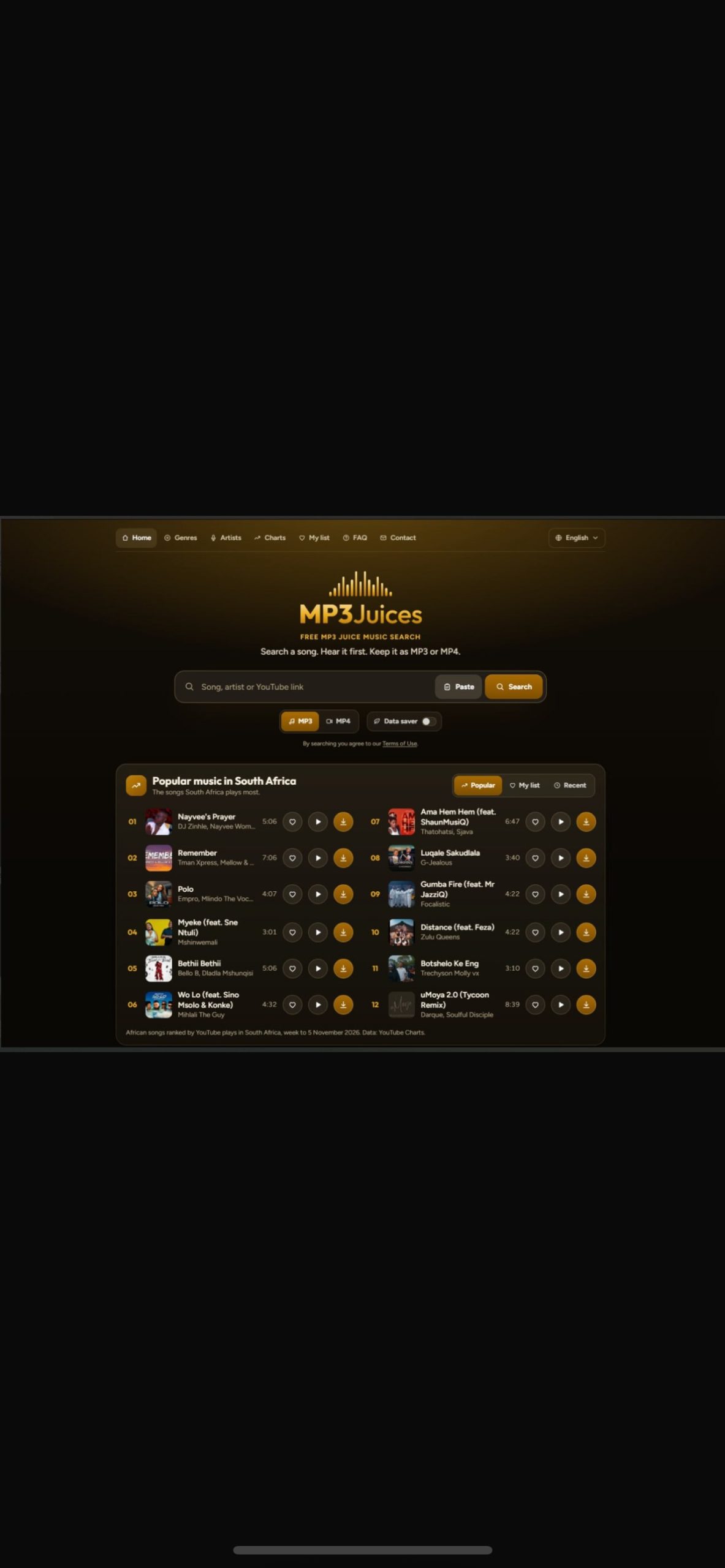
If you have one song stuck in your head and have never used a music download site before, the fastest route is simpler than you might expect. You open mp3juices.art, type the song name into the search box, and the site returns matching results you can listen to before saving anything. No account, no software install, and no complicated setup stand between you and your first file.
Open the Site and Search for Your Song
Start by opening the site in any modern browser on a phone, tablet, or computer. The landing page is built around a single search field, which is the only tool you need for this first task. Type the song title and, if you know it, the artist name — for example, a track name plus the singer — because a more specific query narrows the results and reduces guesswork.
The search returns a list of matches drawn from the platform’s music index. Each result usually shows the track title, the artist, and a duration, so you can spot the version you want without opening anything else. If your first search is too broad, add a word or two and run it again; refining the query is the normal way to work here, not a sign that something went wrong.
Two Shortcuts That Save Typing
You do not have to know exactly what you are looking for. The site also organizes music by genre and by artist, and it includes charts for listeners who want to browse rather than search. These are useful when you only remember a vibe or a performer’s name. There is also a personal list feature for keeping track of songs you find along the way, which helps on a second visit.
- Search by title when you know the exact song.
- Browse by genre or artist when you only know the style or the singer.
- Check the charts when you want to see what other listeners are finding.
Preview the Track, Then Download It
Before you commit to a file, use the preview. The platform is designed so you can listen to a song first and confirm it is the right recording, the right length, and the right quality for your needs. This one step prevents the most common beginner mistake: downloading a cover, a live version, or an edited clip when you wanted the original studio track.
Once the preview sounds right, choose your format. MP3 is the usual pick for audio-only listening, while MP4 suits anyone who wants the video version where one is available. Select the option, start the download, and the file lands in your device’s normal downloads folder. From there it behaves like any other audio or video file you own.
Small Settings Worth Knowing
If you are on a limited mobile data plan, look for the data saver mode before you start browsing. It reduces how much data the site uses while you search and preview, which matters when you are away from Wi-Fi. On a shared or older device, it also keeps the page lighter and quicker to respond.
Keep your files organized from the first download. A simple folder named for the artist or the month makes later searching much easier, and renaming a file to include the artist and title saves confusion when several tracks share a similar name. None of this is required, but it is the difference between a tidy library and a messy one after a few weeks.
What to Expect on Repeat Visits
The second visit is faster because you already know the rhythm: search, preview, download. Your personal list carries the songs you flagged, so you can return to them without searching again. If a track is not in the index today, try a slightly different spelling or the artist’s name alone; catalogues change, and a fresh query often finds what a previous one missed.
Treat the preview as your quality check every time, not just on the first attempt. It is the cheapest way to avoid a wasted download, and it takes only a few seconds. Beginners who build that habit rarely end up with files they did not want.
That is the whole process — open, search, preview, save — and you can repeat it for the next song whenever you are ready.